DocsAccount
Delete your account
Updated
Deleting your account removes it and everything in it, straight away and for good. It is done from the Details page of your account. To open it, press your account button at the top right of the dashboard, or your name at the bottom of a book’s sidebar, and choose Details.
What is deleted
Everything in your account goes, at the moment you confirm:
- your books and series, with every chapter, book page, character, location, outline, note, tag and revision;
- every image you uploaded;
- the files you exported from your books, and any copy of your data waiting to be downloaded;
- your settings, your AI connection, and your sign-in details, passkeys and two-factor authentication;
- the messages you sent through Help & feedback.
Your books go for the people you shared them with too. Beta readers and editors you invited can no longer open them, and their feedback, comments and drafts on your books are deleted with them.
If you were a beta reader or an editor on someone else’s book, your feedback, comments and drafts there are deleted as well, and your access to that book ends. Changes the author had already accepted from you stay in their book, because they are part of it.
What happens to a Pro plan
Deleting your account cancels your Pro plan straight away: you are not charged again, and you do not keep Pro to the end of the month or year you paid for. Nothing is refunded, monthly or annual, including the unused part of a period. The refund policy has the details.
Your invoices and your customer record stay with Stripe, the company that takes payments for Gnarlywog, because tax and accounting rules require it. The privacy policy explains what is kept.
If you only want to stop paying, cancel Pro instead and keep your account: see Your plan and billing.
Step 1: Download a copy first
Once your account is deleted, nothing can bring your work back, and Gnarlywog cannot restore it for you. If you want to keep anything, download it before you start.
- Download a copy of everything in your account makes one ZIP file of all your books, characters, notes and images.
- To keep a finished book, export it as an ebook, a print-ready PDF or a Word file from the book’s Export page.
The delete dialog also has an Export my data first link, at its bottom left. It closes the dialog and starts the export, after you confirm it is you. Nothing is deleted. Download the file when it is ready, then open Delete account again.
Step 2: Open Delete account
- Open the Details page.
- Find the Delete account row, in red, under Export your data.
- Press Delete account, at the right of the row.


Step 3: Type your email
A dialog titled Delete account permanently opens. It says what will be deleted, and that an active subscription is cancelled. Nothing is deleted yet.
- In the box under “Type … to confirm”, type the email address you sign in with, exactly as the dialog shows it.
- Press Delete account permanently, at the bottom right. It stays dimmed until the address matches.
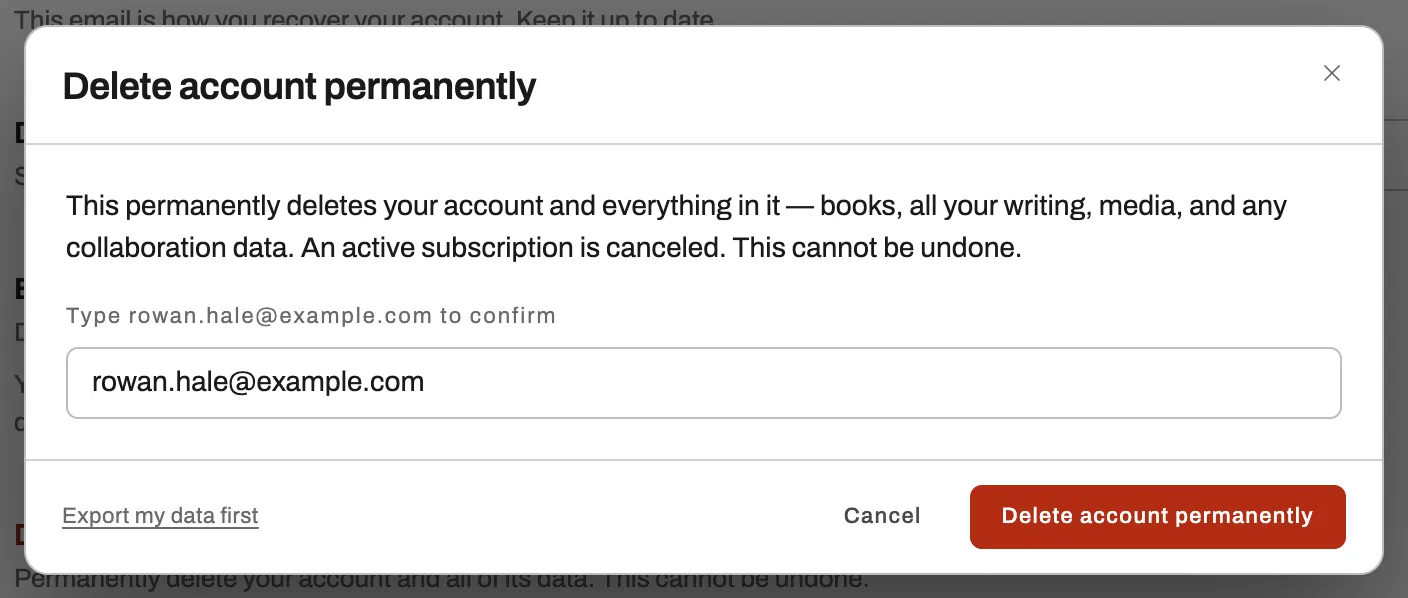
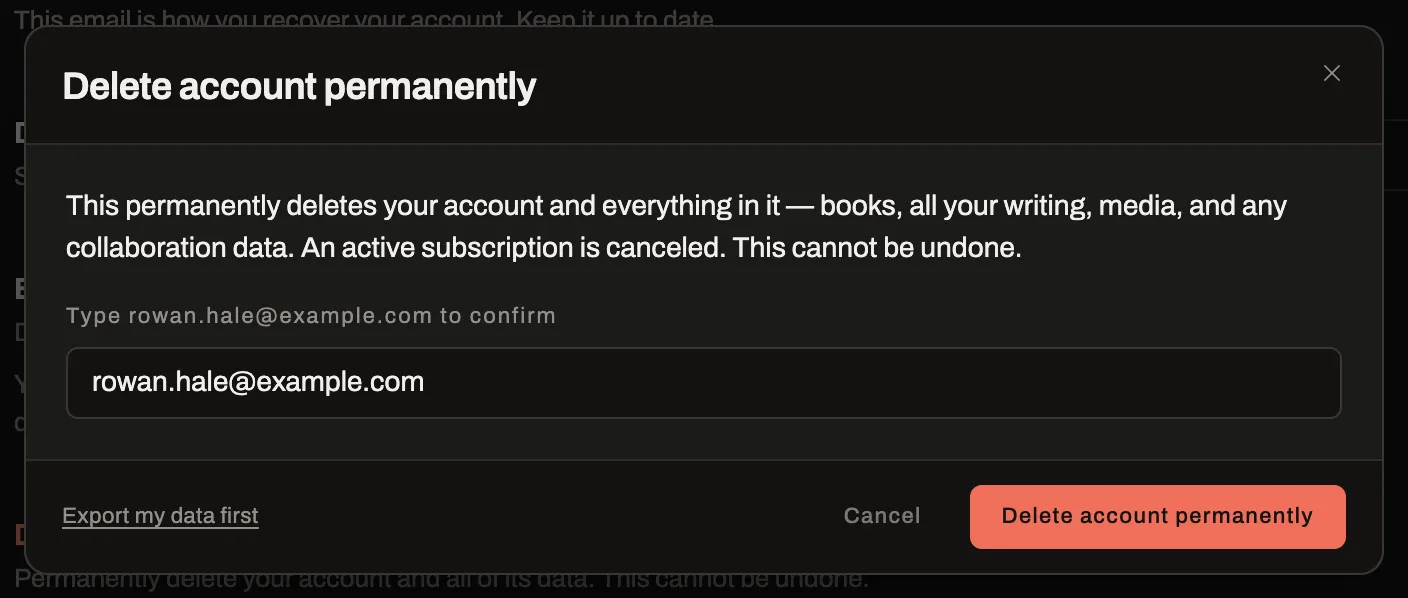
To stop here, press Cancel.
Step 4: Confirm it’s you
The dialog now asks you to prove it is you. This is the last step before anything is deleted.
- Type your password, or answer the question your account asks: a code from your authenticator app if you use two-factor authentication, or your passkey.
- Press Confirm.
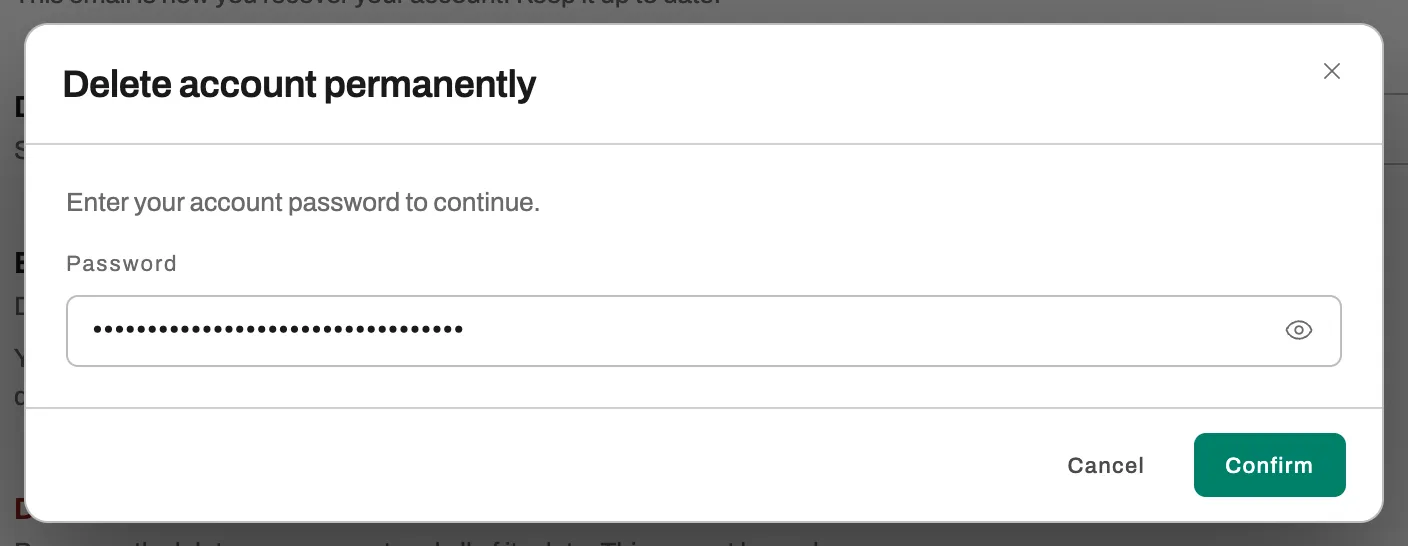
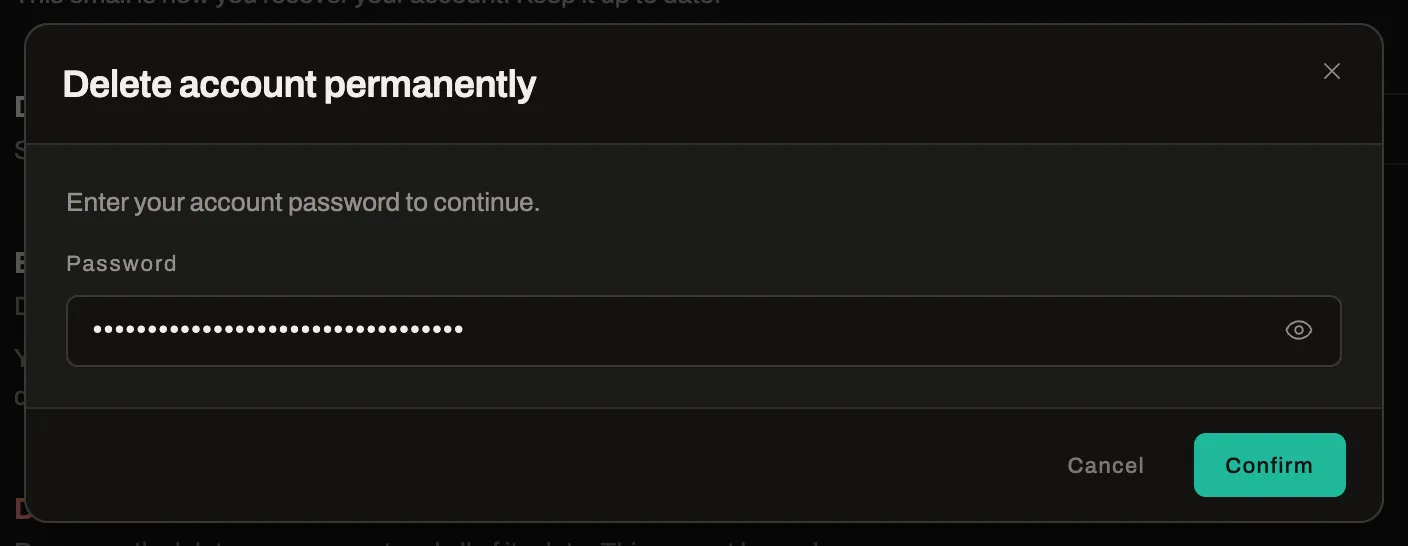
Keep your account secure explains this question in full. It is asked every time, even if you answered it a moment ago.
Step 5: Wait while it is deleted
The dialog says “Deleting your account…” and “Don’t close this window. We’ll tell you when it’s finished.” It cannot be closed while this runs.
When it is done, you are signed out and taken to the sign-in page, which says “Your account and all of its data have been permanently deleted.”


Gnarlywog also sends an email to your address confirming that the account was deleted.
Now and then a last clean-up step does not finish, such as removing some of your images or export files. Your account is still deleted: you are signed out and taken to the sign-in page as usual, and the notice there says which step was left, such as “Your account was deleted, but some media could not be removed.”
If something goes wrong, the dialog says what happened, with a Try again button. If it says “Account not deleted” or “Nothing was removed”, your account is still there as it was.
Related
- Download a copy of everything in your account: the copy to take before you delete.
- Your plan and billing: cancel Pro without deleting your account.
- Open a book’s settings and delete a book: delete one book and keep the rest.
- Invite beta readers and read their feedback and Work with an editor: the people who lose your books.
- Change your email and account settings: the Details page and your other account pages.